
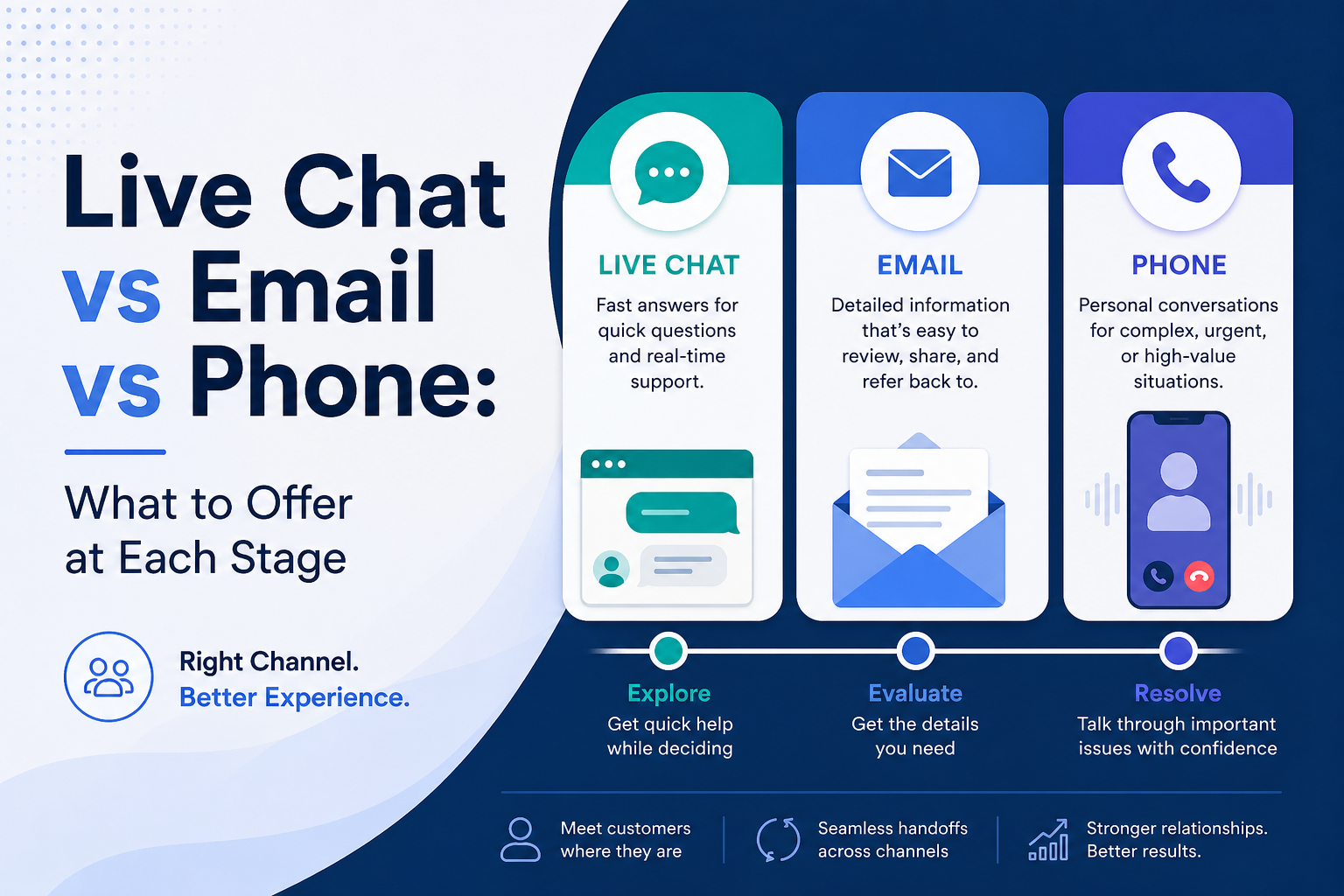
Choosing the right support channel is less about picking one winner and more about matching the customer’s needs at the right moment. This blog explains when to offer live chat, email, or phone at each stage of the customer journey so businesses can create faster responses, smoother support, and a better overall experience.
A lot of businesses ask which support channel is best, but that is usually the wrong question. The better question is which channel fits the customer’s situation at that moment. Live chat, email, and phone each do different jobs well. If you match the channel to the stage of the customer journey, support feels smoother, faster, and more helpful. Most guidance on customer support points in the same direction: people want multiple ways to reach a business, and their preferred channel changes depending on what they need.
The real goal is not to pick one winner. The goal is to make it easy for customers to get the kind of help they need without friction. Research and support guidance consistently show that no single channel works best for every issue. Some situations need speed, some need detail, and some need reassurance. That is why the smartest support model uses more than one channel and lets the issue guide the experience.
This topic also fits Hamedia Agency naturally. Hamedia’s omnichannel support page explains that customers expect fast, seamless, and consistent support across touchpoints, and its approach page explains that the company combines AI with human expertise to help businesses work faster, smarter, and more efficiently. That makes channel strategy a very practical topic for your audience.
If the customer needs a quick answer while browsing or deciding, live chat is usually the best fit. If the issue is detailed but not urgent, email usually works best. If the issue is complicated, emotional, urgent, or high value, phone is usually the strongest option. Most support guidance lands in this same place: chat works well for simple and fast-moving conversations, email works well for flexible and documented communication, and phone works best when depth and reassurance matter more than speed alone.
At the very top of the funnel, live chat is usually the strongest channel to offer. This is the stage where someone is browsing, comparing, hesitating, or trying to understand something quickly. Most support teams use chat here because it gives people a fast answer without forcing them into a bigger step like a phone call or long email exchange. Real-time help is especially useful when the customer only has one or two simple questions before moving forward.
This is why live chat fits product questions, pricing clarifications, availability checks, booking questions, and quick “before I decide” concerns. At this point, most people do not want to schedule a call just to ask one simple thing. They want a fast answer that keeps the momentum going. When chat works well, it removes friction at exactly the moment when customers are deciding whether to stay engaged or leave.
If your business wants help building that kind of connected customer experience across channels, this is a natural place to point readers toward your service page. If you need structured omnichannel support that helps customers move smoothly from one touchpoint to the next, check this page.
Once a prospect is seriously evaluating your business, live chat and email usually work best together. Live chat helps with fast clarification, while email helps when the person needs something more detailed, documented, or easy to forward internally. This is especially common in B2B, service sales, and larger purchases where one person may need to share information with a manager, partner, or team before making a decision.
At this stage, a good setup is simple. Use live chat for short objections and quick clarification. Use email when the customer wants a detailed answer, a written scope, pricing notes, onboarding steps, or something they can revisit later. Email becomes more valuable here because it gives the customer time and space to process the information without pressure.
As the customer gets closer to making a decision, phone becomes more useful. This is where questions often become more personal, more specific, and sometimes more emotional. People want reassurance. They may want to understand timing, expectations, edge cases, or what happens next. In these moments, voice can create clarity faster than chat or email because it reduces misunderstanding and makes it easier to work through objections in real time.
Phone is especially strong when the customer is high value, confused, frustrated, or dealing with a time-sensitive issue. It is also useful when the sale or service is not simple enough to explain in a few short messages. Chat and email can still support the process, but phone often becomes the best closer when confidence needs to be built quickly.
After the customer says yes, email usually becomes the best lead channel for onboarding. That is because onboarding often involves steps, documents, timelines, links, instructions, and details that people need to keep and refer back to later. Email works well here because it creates a written trail and makes it easier to organize information in one place.
That does not mean email should do all the work alone. Live chat can still help with quick setup questions, and phone can still help when the customer is stuck or overwhelmed. But email is usually the best foundation for onboarding because it gives the customer a stable reference point. That makes the process feel more organized and less stressful.
Once the relationship is active, the right channel depends on the type of issue. Live chat works well for fast questions, simple troubleshooting, account navigation, and quick status checks. Email works better for non-urgent issues that need detail, screenshots, longer explanations, or internal review. Phone becomes more valuable when the issue is urgent, sensitive, or complicated enough that back-and-forth messages would only slow things down.
This is where a lot of support teams go wrong. They try to push every issue into the same channel because it is easier for the business. But a better customer experience comes from matching the channel to the issue. A quick chat for a simple question is efficient. A detailed email for a layered issue is easier to manage. A call for a tense or urgent problem can prevent frustration from growing.
If your team needs dependable technical support layered into that experience, this is also a natural internal link. If you want support that combines human care with AI efficiency for ongoing issue handling, learn more here.
When something goes wrong in a serious way, phone usually becomes the strongest option. This includes urgent failures, billing stress, escalations, sensitive complaints, and moments where tone matters just as much as the answer itself. Voice helps because it adds speed, clarity, and emotional reassurance that written channels often cannot provide as easily.
That does not mean every serious issue must start with a call. Sometimes the issue begins in chat or email. But when the situation becomes too tense, too confusing, or too important, the business should make it easy to move to phone without forcing the customer to start over. That kind of handoff matters a lot.
A strong support setup usually gives each channel a clear role. Live chat handles speed. Email handles detail and documentation. Phone handles complexity and reassurance. When those roles are clear internally, the customer experience becomes much more consistent. The team also becomes easier to train because everyone understands which channel should lead in which situation.
The best results usually come from clean handoffs, not from forcing one channel to do everything. A customer might start in chat, get a detailed recap by email, and then take a phone call to finalize a solution. That journey can feel smooth if context is preserved. It feels frustrating only when the customer has to repeat everything from the beginning each time they switch channels.
Hamedia’s omnichannel positioning fits well here because the service page is built around seamless support across customer touchpoints instead of isolated one-channel interactions. If a reader wants a more connected support model, this is a strong place to point them.
One common mistake is hiding phone support completely because it is harder to manage. Another is forcing every question into email because it feels more organized internally. Another is using live chat without enough staffing or workflow design, which makes the channel feel fast at first but disappointing in practice. Most support guidance agrees that channel success depends on execution, not just availability.
Another mistake is forgetting that customer needs change across the journey. A person browsing your site may love chat. The same person may prefer email during onboarding and then want a call during a service issue. Good support design leaves room for that change instead of assuming one channel should carry the full relationship.
Live chat, email, and phone each have value, but they do not serve the same purpose. Live chat is strongest for speed and momentum. Email is strongest for detail and reference. Phone is strongest for complexity, urgency, and trust. Businesses usually get the best results when they stop asking which one is best overall and start asking which one is best for this stage, this issue, and this customer.
Valerie Vince Cruz is a thought leader in AI-enhanced outsourcing and business operations. With years of experience helping companies scale efficiently, they share insights on the latest trends and best practices in the industry.
Get in touch with our team and we'll help you find the right solution.
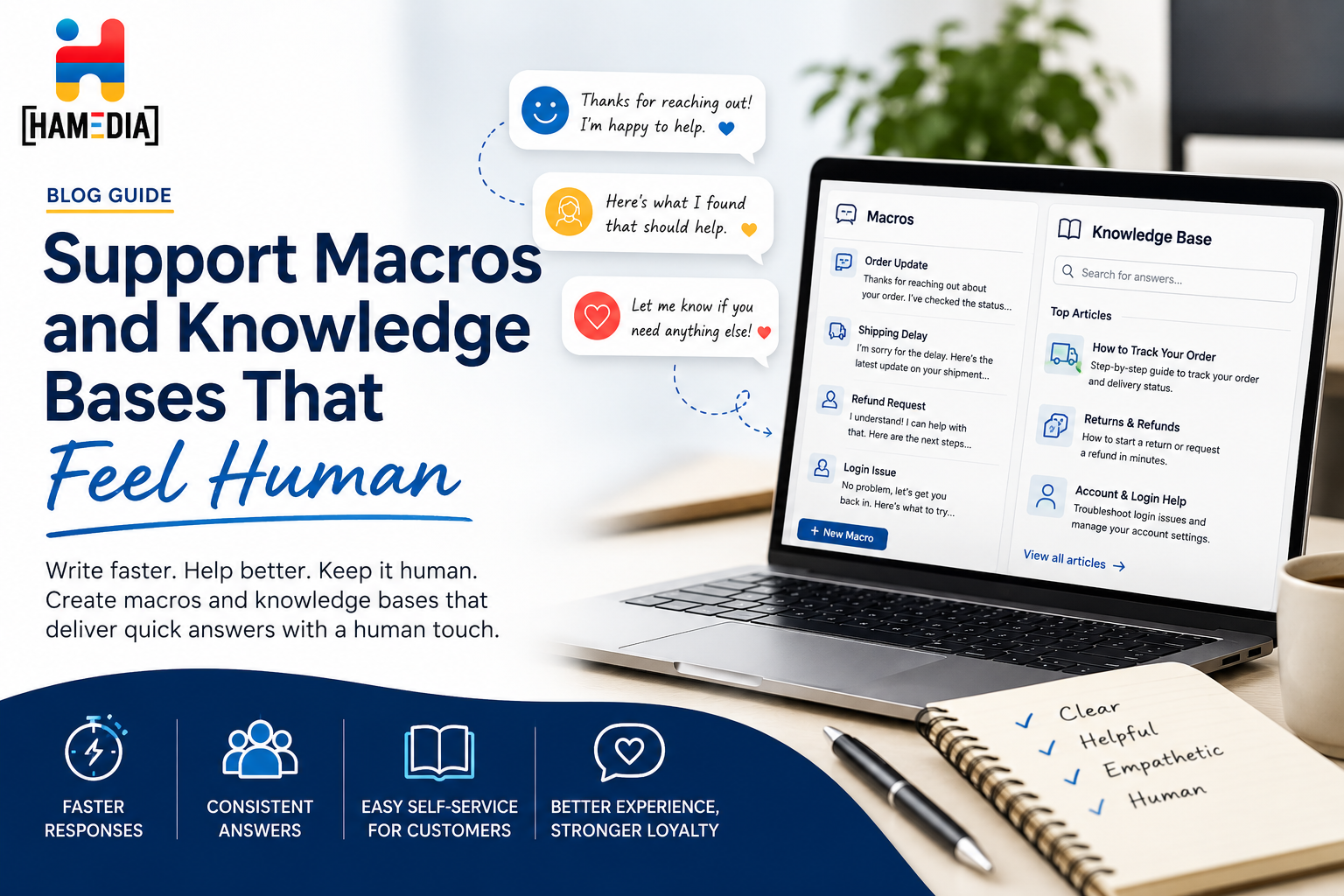
Support macros and knowledge bases work best when they help teams move faster without sounding cold or robotic. This blog explains how to write saved replies and support content in a way that feels clear, useful, and human, while still improving consistency, reducing repeat work, and making it easier for customers to find the help they need.

Support quality breaks when volume grows and answers become inconsistent. This guide shows how to build a lightweight support QA program in two weeks using a simple scorecard, smart sampling, fast feedback, and weekly coaching. You will also learn how to turn QA trends into better macros, knowledge base updates, and escalation rules so customer experience stays consistent as you scale.

Outsourcing customer support can help startups and SMBs respond faster, stay consistent, and protect customer experience without draining internal bandwidth. This guide explains what to outsource first, how to set SLAs and metrics like first response time and CSAT, how to run QA and documentation, what security and privacy controls matter, and how to roll out an outsourced support team in 30 days with predictable results.