
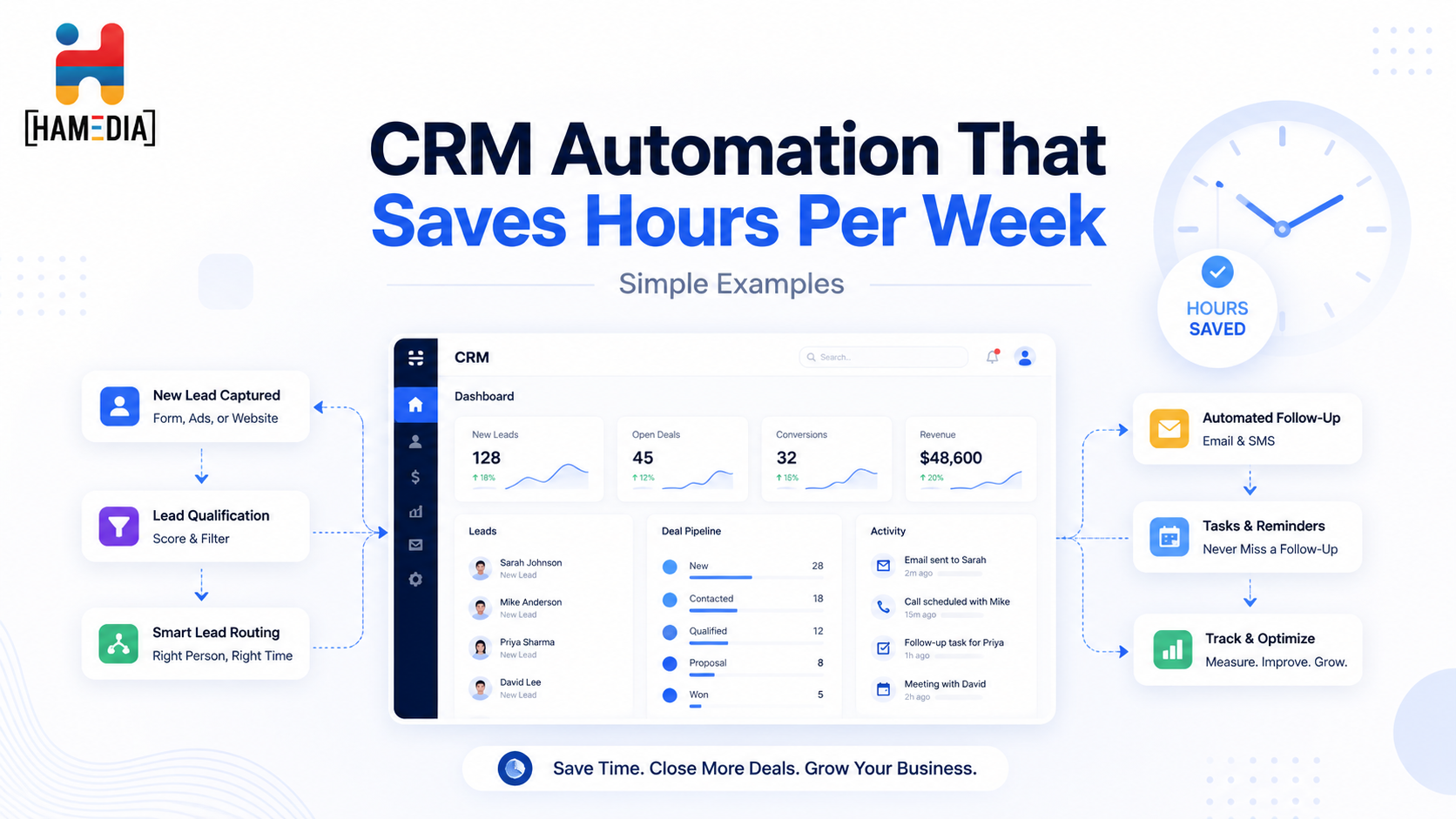
CRM automation can save hours each week by removing the small repetitive tasks that slow teams down and create missed follow-ups. This blog walks through simple automation examples for lead routing, meeting prep, stage updates, inactivity alerts, proposal follow-up, and closed-won handoffs so businesses can build a cleaner, more consistent CRM workflow without overcomplicating it.
A CRM is supposed to make customer work easier, but for a lot of teams, it turns into another place where manual work piles up. Leads need to be assigned, notes need to be updated, follow-ups need to be scheduled, stages need to be changed, and handoffs need to be tracked. That is why CRM automation matters. Most CRM guidance describes the system as the place where customer data, sales activity, marketing touchpoints, and service activity come together, and it also points out that repetitive tasks like lead assignment, follow-up emails, stage updates, and scheduling are exactly the kinds of things automation can handle well.
That matters because time usually disappears in small pieces. One rep forgets to assign a lead. Another waits too long to follow up. A manager has to chase an update that should have already been in the system. A customer closes, but the onboarding handoff is late because nobody triggered the next step. CRM automation does not solve every problem, but it does remove a lot of avoidable admin work and helps teams stay more consistent. Platform guidance on sales and marketing automation points to the same pattern: automation reduces repetitive busywork, helps route leads faster, keeps pipelines moving, and supports cleaner cross-team coordination.
This topic also fits Hamedia Agency naturally. Hamedia’s site positions the company around AI-enhanced outsourcing, workflow support, analytics, and structured service delivery, while its omnichannel and technical support pages both emphasize connected systems, KPI visibility, faster response times, and smoother handoffs across channels and teams. That makes CRM automation a strong topic for your audience because clean CRM workflows sit at the center of sales support, customer communication, and daily operations.
CRM automation saves time because it removes the small manual actions that happen over and over again. Most teams do not lose hours from one giant task. They lose hours from dozens of small steps like updating contact records, assigning leads, sending first replies, creating reminders, tagging sources, or moving deals to the right stage. Guidance on CRM and automation consistently shows that these repeatable actions are some of the highest-value places to automate first because they are frequent, predictable, and easy to forget when people get busy.
It also saves time because automation creates consistency. When the same trigger always launches the same next step, the team spends less time relying on memory and less time cleaning up missed actions later. That helps not only with speed but also with visibility. When records update automatically, tasks are created automatically, and handoffs happen automatically, managers can see what is moving and what is stuck much faster.
Before automating anything, it helps to clean up the process first. If lead sources are inconsistent, owners are unclear, or deal stages mean different things to different people, automation will only move messy data faster. One current implementation guide makes the point clearly by saying that data quality is the biggest factor in implementation speed because clean contact data lets automations fire correctly from day one.
That means the best first step is usually not a tool feature. It is a quick operating decision. Define your lead sources. Define your deal stages. Define who owns what. Decide what should happen when a lead enters, when a meeting is booked, when a deal moves, when a deal stalls, and when a deal closes. Once those moments are clear, the automation becomes much easier to build and much more useful in practice.
One of the easiest and most useful CRM automations is the new-lead workflow. When a lead enters the system, the CRM can assign an owner, tag the source, create a follow-up task, and send a quick acknowledgment email right away. Current sales-automation examples show exactly this pattern: new leads can be assigned by source, territory, product line, or round-robin rules, while the system also creates immediate follow-up tasks and starts a short email sequence.
This matters because lead speed is often where momentum is either built or lost. A team that responds consistently within the same workflow usually performs better than a team that means to follow up but relies on memory. A simple new-lead automation can save time every day because it removes the manual triage that usually happens right after a form fill, ad lead, referral, or inbound message.
Another strong automation is tied to booked meetings. Once a prospect books a call, the CRM can create a task checklist, assign prep work, log the activity, and send reminders or confirmation emails. CRM platform guidance shows that scheduling, email tracking, shared inboxes, and live chat can all live inside or connect into the same system, which makes this kind of trigger especially useful.
This saves time because nobody has to remember what happens after the meeting is booked. The rep does not need to manually create the same reminder every time. The manager does not need to guess whether the lead was prepped correctly. The customer also gets a more consistent experience because the confirmation, reminder, and next-step process happens the same way each time.
One of the most practical CRM automations is stage-based workflow. When a deal moves from one stage to another, the CRM can launch the next checklist automatically. Current automation examples show that when a deal enters a stage like qualification, demo scheduled, proposal sent, negotiation, or closed-won, the system can trigger tasks, notifications, follow-up emails, and onboarding actions tied to that stage.
This is especially helpful for businesses with repeatable sales motions because it keeps the process predictable. Instead of hoping every rep remembers the next internal step, the system pushes the right action at the right time. That usually saves more hours than teams expect because stage-based automation cuts down on manual reminders, repeated explanations, and internal confusion.
A lot of CRM value is lost when deals just sit. Not because the opportunity is dead, but because nobody noticed it had stalled. Time-based automation examples show that CRMs can create reminder tasks, send follow-up emails, tag stalled deals, and escalate items to a manager if a lead or opportunity has not moved after a set number of days.
This is one of the best examples of automation saving hidden time. Without it, managers end up scanning the pipeline manually, reps forget older deals, and meetings get spent asking questions the CRM could have flagged automatically. A simple inactivity rule keeps the pipeline more active and reduces the amount of manual checking required every week.
Proposal-stage follow-up is another strong use case. Time-based CRM workflows can create a check-in task after a proposal sits for a certain number of days, send a recap email automatically, and escalate the item if it stays stalled too long. Current examples show this clearly, with proposal-stage reminders, automatic case-study sends, and manager review triggers after too much inactivity.
This saves hours because proposal follow-up is the kind of work that tends to happen inconsistently when the team is busy. Some prospects get great follow-up. Others get silence. Automation makes the cadence more reliable without requiring a rep to remember every pending item manually. It also helps managers see where deals are slowing down without digging through notes one by one.
A deal should not feel organized only until the contract is signed. One of the most useful CRM automations is the closed-won handoff. Current workflow examples show that when a deal is marked closed-won, the system can send a welcome email, notify account management or support, launch an onboarding checklist, and schedule a future check-in task.
This saves hours because it protects the handoff between sales and delivery. Without automation, onboarding often depends on someone remembering to notify the next team, create the first tasks, and send the right message. With automation, that handoff becomes much cleaner and much less likely to break. Hamedia’s omnichannel and technical support pages both emphasize connected workflows, intelligent routing, and measurable response improvements, which is the same operating logic behind strong CRM handoffs.
CRM automation can also help after the deal is won or lost. Current automation examples include sending feedback emails after losses, tagging reasons for loss, requesting reviews after wins, and scheduling a referral ask or upsell check-in after a set period.
This kind of workflow is useful because it closes the loop. Teams often say they want more reviews, more referrals, or better insight into why deals are lost, but those follow-ups tend to disappear when they depend on memory. Automating them turns good intentions into a repeatable system.
One of the biggest mistakes teams make is trying to automate the entire CRM in one push. Most practical guides recommend starting with a few high-impact workflows first, especially around lead capture, follow-up, stage movement, and scheduling. One implementation guide notes that many small and midsize teams can launch a first high-impact workflow within a couple of weeks, then expand over time as the process gets cleaner and the data gets better.
A smaller rollout works better because it lets the team learn what actually saves time. Sometimes the most valuable automation is not the most advanced one. It is the simple workflow that removes the same five minutes of admin work from dozens of deals every week. That is how CRM automation starts saving real hours.
For teams that already know which CRM tasks keep getting missed, the next challenge is execution. Hamedia’s broader support model is built around workflows, analytics, connected communication, and recurring operational support, which makes it a natural fit for businesses that want cleaner follow-up, better handoffs, and more consistent support around customer-facing systems. Its about page also emphasizes embedding into the client’s tools and rituals, routing tasks, summarizing data, clear SLAs, QA rubrics, and visible metrics.
If your business needs help keeping CRM tasks, inbox flow, customer communication, and support routines more organized, that is a natural path into Hamedia’s service pages as well. The omnichannel and technical support pages both show how the company approaches routing, response time, KPI visibility, and connected systems in a more structured way than simple ad hoc support.
CRM automation saves hours when it handles the repeatable work that teams are most likely to miss or do manually every time. New-lead routing, meeting prep, stage checklists, inactivity alerts, proposal follow-up, closed-won handoffs, and referral or feedback prompts are all simple examples that can create real weekly time savings without making the system overly complicated. The key is to start with clean process logic, automate the moments that repeat most often, and expand only after the first workflows are working well.
Valerie Vince Cruz is a thought leader in AI-enhanced outsourcing and business operations. With years of experience helping companies scale efficiently, they share insights on the latest trends and best practices in the industry.
Get in touch with our team and we'll help you find the right solution.

Building an AI-powered operations stack does not have to mean hiring engineers or creating a complicated system. This blog explains how businesses can use no-code tools, AI workflows, automation, knowledge bases, and simple reporting layers to streamline operations, reduce manual work, and create a smarter support system that is easier to manage and scale.

You do not need a big AI project to get value fast. This guide breaks down 20 practical workflows small businesses can automate in the next 30 days, from lead routing and follow-ups to support triage, reporting, proposals, onboarding, and content operations. Each workflow includes tool ideas and a simple approach to automate safely without losing quality.